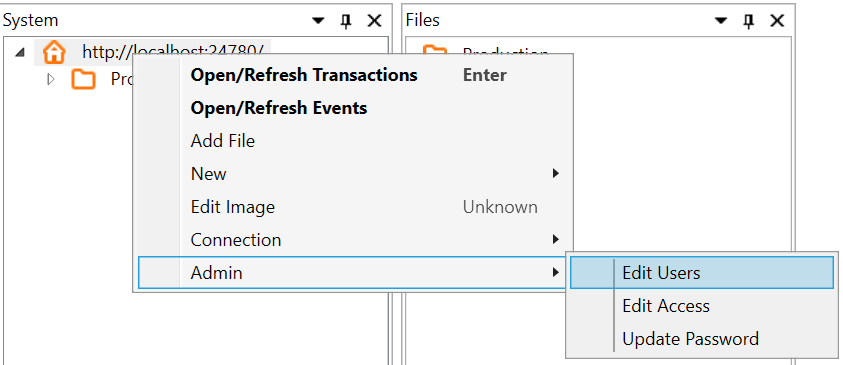
1. Open ISM. Connect to a server, and right click on the server. Choose the Admin->Edit->Users menu option.
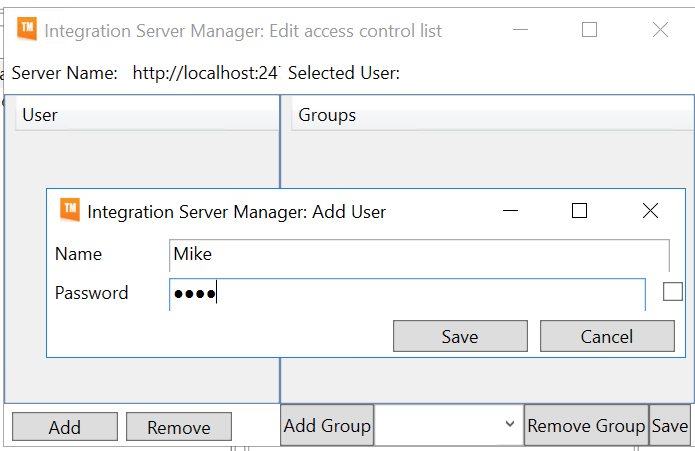
2. Click "Add" to add a user, and fill in Name and Password:
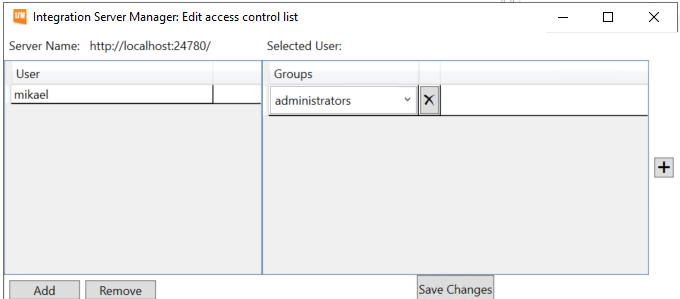
3. Add a group to the user.
If this user should have access to manage users, similarly add them to the administrators group.
You can also make up your own names for groups to control which users can access which subset of integrations etc.
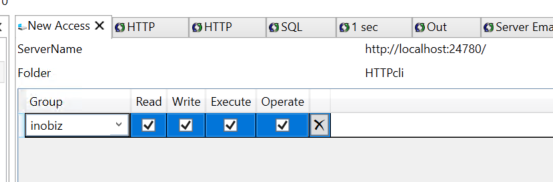
4. Add the group to a folder. Right click on the folder that the users should have access to bring up a context menu, and select Admin->Edit Access.
(If the user should have access to the entire server add the user to the root folder.)

5. Select the group and press Add group.
6. Add Read,Write,Execute and Operate permissions, and press Save.
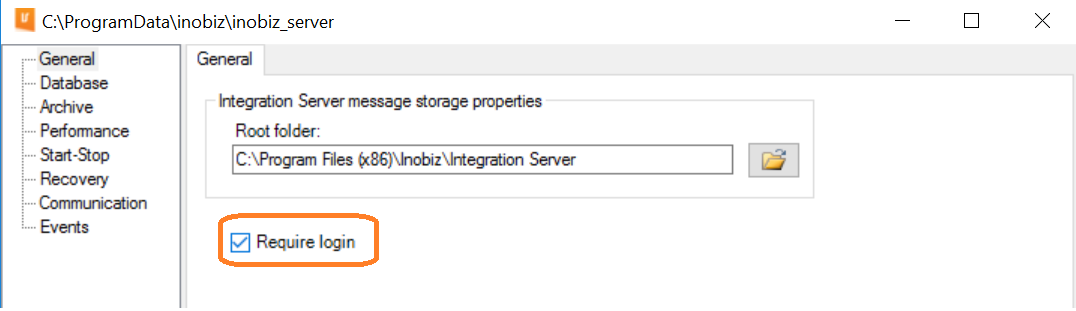
7. Open SystemConfigurationProgram and check Require login. Press save and restart the service.
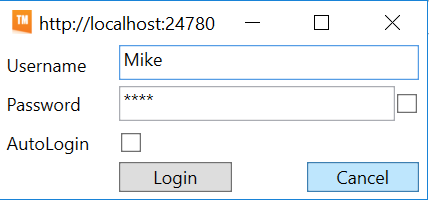
8. Log in to the server again, and you can then log in with your new user:
0 Comments