1. Download from : ftp://ftp.inobiz.se/Inobiz%20Software/Inobiz%20Integration%20Server/
2. Install the package.
3. Open SystemConfigurationProgram
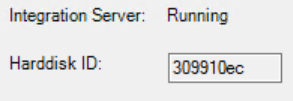
4. Send Harddisk ID to to support@inobiz.se
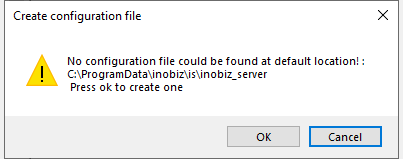
5. Create configuration file
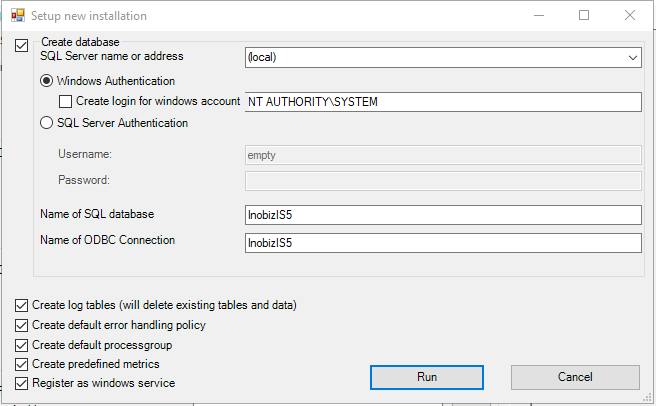
6. Run new setup. You can change database name and ODBC name here:
7. Put the Server.lic.json received from Inobiz in the folder: C:\ProgramData\Inobiz\IS\License\
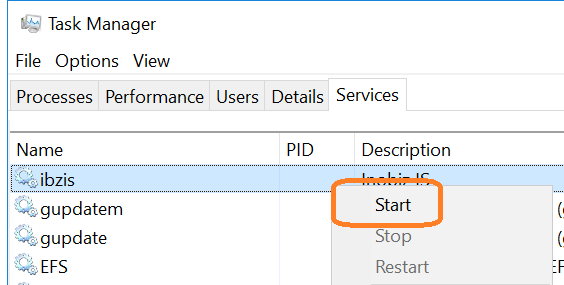
8. Start the ibzis service from task manager
9. Install Start Integration Server Manager(ISM) from C:\Program Files\Inobiz\Integration Server\http_root\ISMSetup.msi
10. Start ISM and Click connect
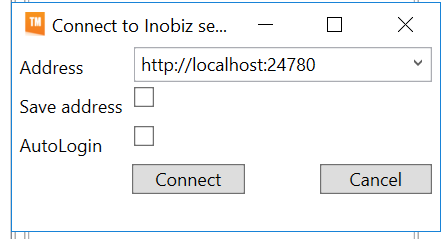
Next step add a adapter and integration.
0 Comments