Download and install the latest Proxy and Integration server from:
ftp://ftp.inobiz.se/Inobiz%20Software/
Proxy server
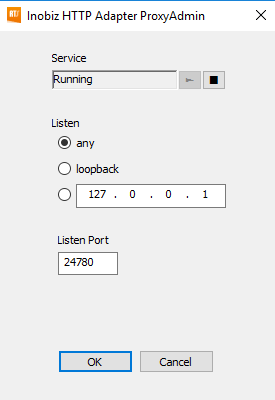
Open Inobiz HTTP Adapter Proxy Admin and se that the service is running.
Listen Port: 24780
Integration Server
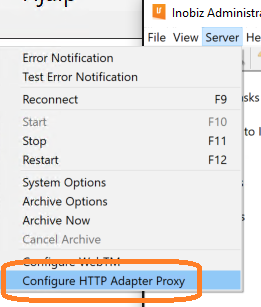
Open Inobiz Administration Program. Go under Server Configure HTTP Adapter Proxy:
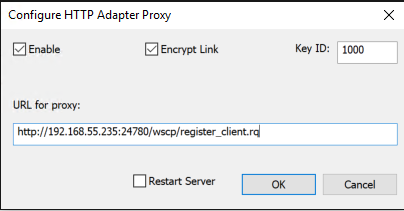
Point out the IP and port of the server for the Proxy. In this case 192.168.55.235 and port 24780.
http://192.168.55.235:24780/wscp/register_client.rq
Firewall
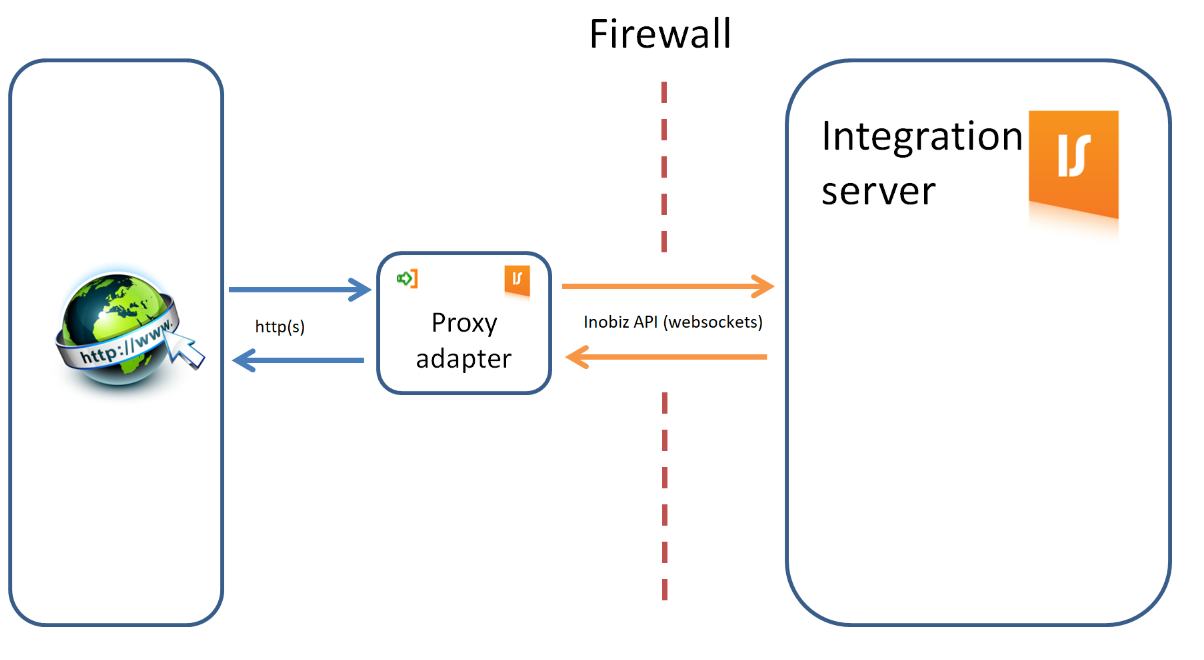
Open the port that you are using through the firewall. In this case 24780.
0 Comments