Introduction
This example is going to show how to implement a CRUD Web Service with Inobiz IS to publish a database.
All of the examples are in the attachment. Read the README.docx in the attachment to get it working.
Operation
CRUD stands for Create Read Update and Delete. In this example we are going to do Read and Create.
|
Operation |
HTTP method | SQL |
| Read | GET | SELECT |
| Create | POST | INSERT |
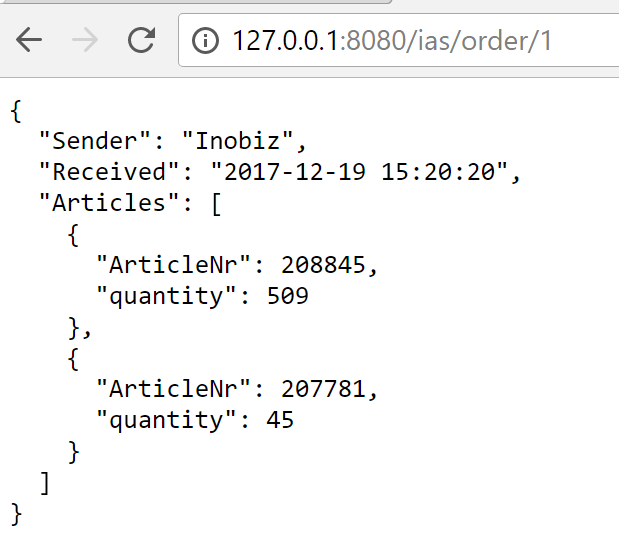
Read is going to fetch one order from the database with Select.
Create is going to add an article to the database.
URL
Format of the URL.
http://127.0.0.1:8080/<service>/<datatype>/<id>
Example of URL
http://127.0.0.1:8080/IAS/order/3
Host:127.0.0.1
Port:8080
<service>: IAS (Inobiz Affär Aystem)
<datatyp>: order
<order>: 3
Database
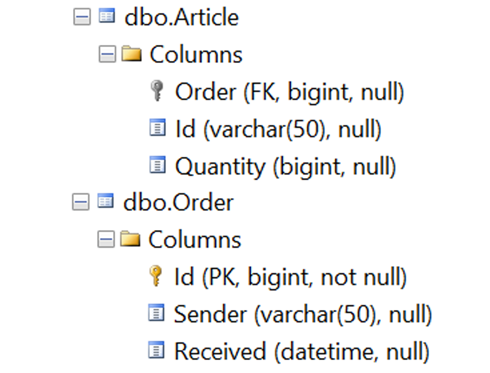
Here is the database with table Article and Order.
HTTP Server adapter
In the HTTP Server adapter we specify Port Host Ip address extension and Methods.
In this case IP address extension is /ias/* it means that everything after /ias/ is going to this adapter.

Routing
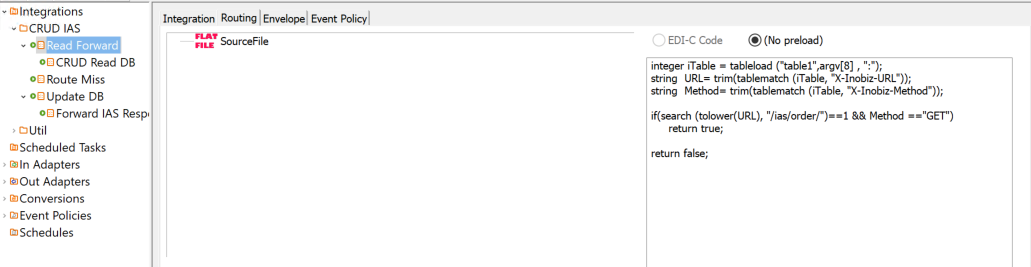
Next step is routing on order and Method. This we do in the Edi-C routing under Integration:
This example finds "order" and method Post.

This example finds "order" and method GET.
Mapping
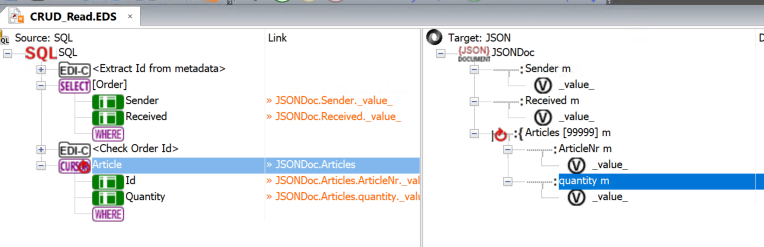
Final state is to read or write to the database. This we do in the mapping.
Here is the mapping for Read/GET
Flowchart
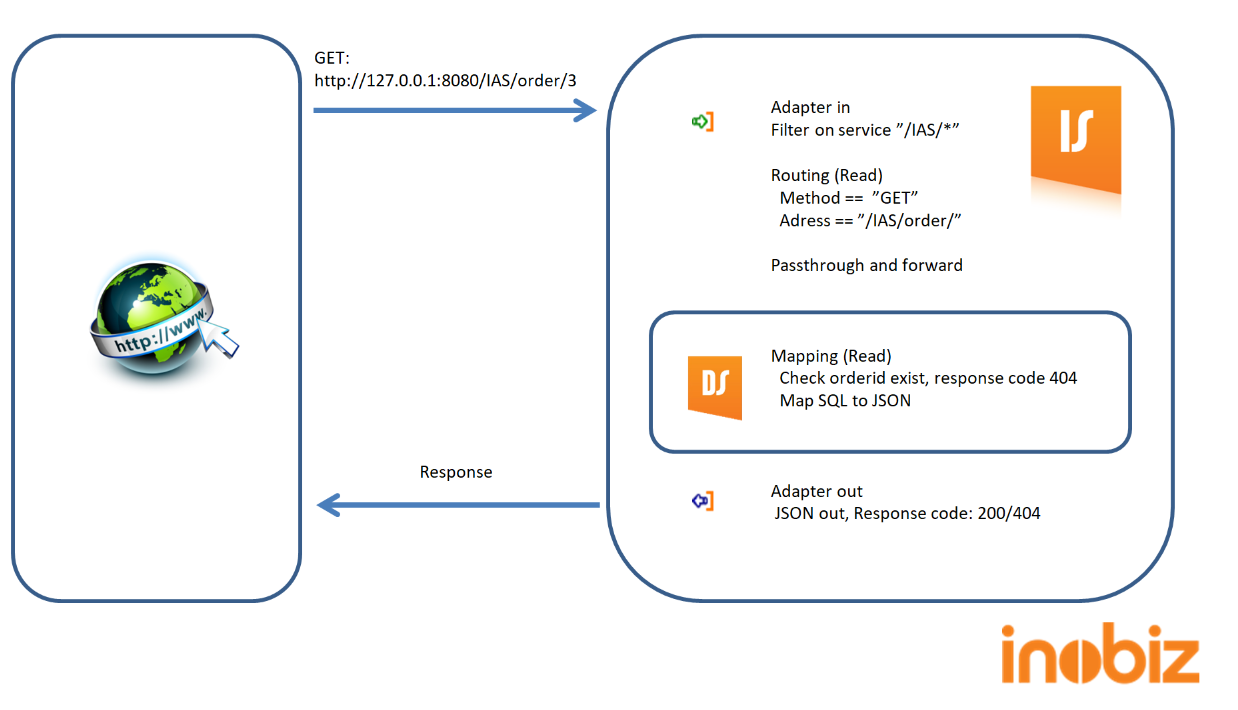
Here is the flowchart for the Method GET/Read:
GET
POST

0 Comments