Introduction:
If we want to do a mapping in which we got this input data:
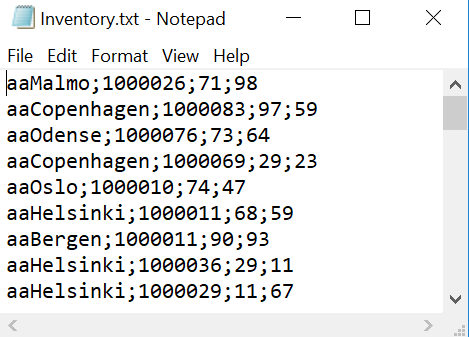
"Example Input Data"
The data format of the flatfile is "aaStore;Articlenr;Quantity;Price".
And we want to map it to an xml document, where it is sorted so all articles are under one store, which would be a output that look like this:
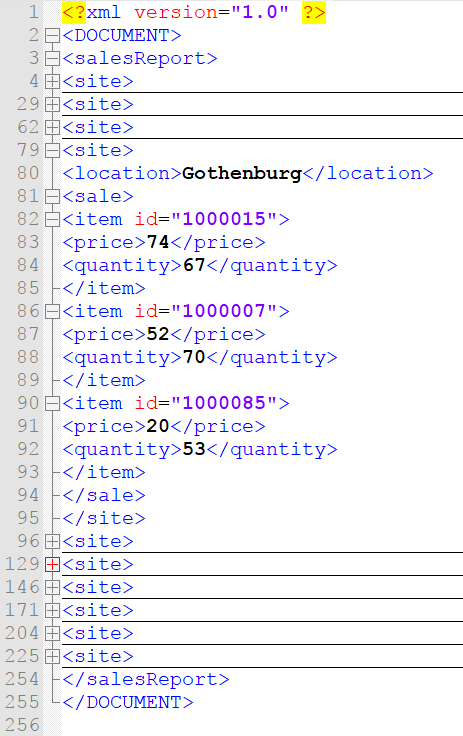
"Example Output Data"
Mapping this look quite easy, however there is some deception involved regarding the size and the unordered structure of the input data which makes it more difficult and it is the limitation of size which is the fatal flaw. This is due to how serial mapping works, with only saving the necessary data in the memory and having the rest on file, thus ensuring that fields that are not needed at the moment cannot be easily accessed.
So the proposed solution to this quandary is to use a database as intermediary, due to it being manageable to map from the database to the desired output aswell to map from the input data to the database, this means we need two mappings. The first mapping is from the input data to the database and the second mapping is from the database to the output xml.
STEP 1 FlatFile To SQL Mapping
Mapp the flatfile data into a database,
This is a standard flatfile to SQL mapping, with each field of the input flat file being mapped to their own column in the database.
The only exception to this mapping standard is the adding of a new column known as processing id, which is used to support the input and output of the two mappings being able to work asynchronous, and also the SQL update statement which updates the Processing stage once done, this ensures that the second mapping will not use unprocessed data from the database.
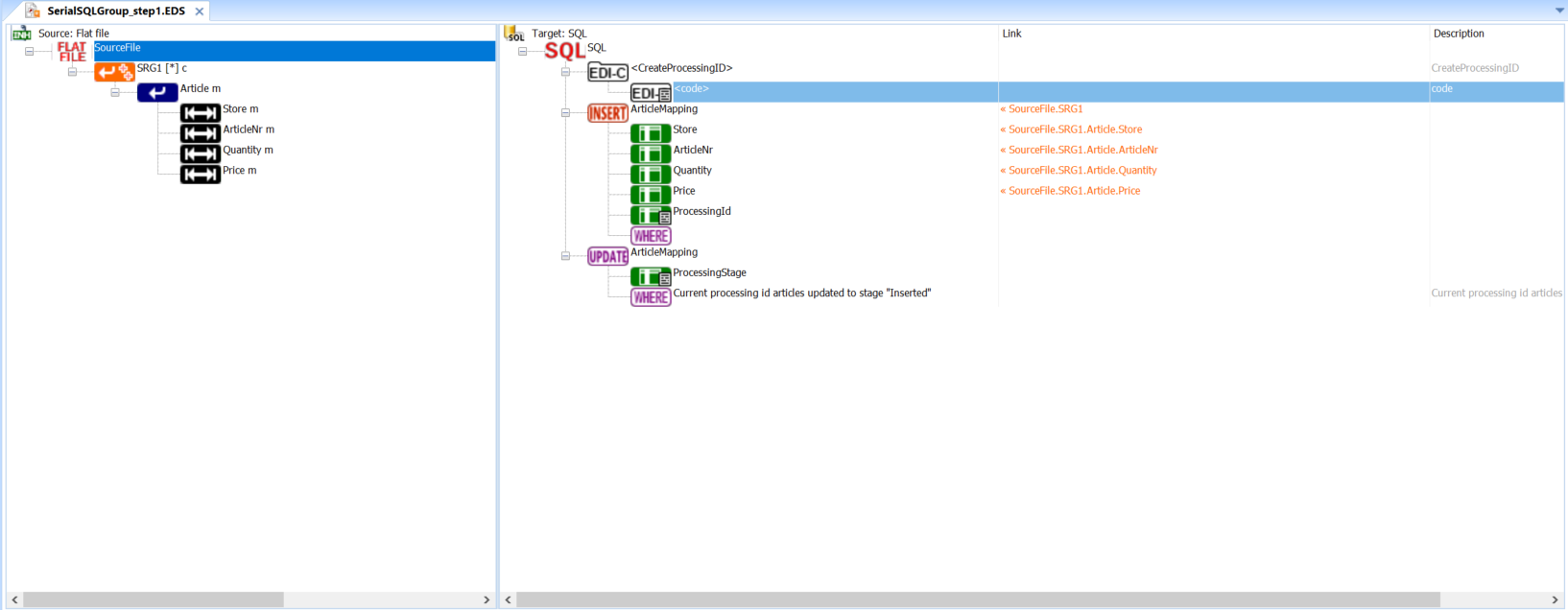 "Image of the flatfile to SQL mapping expanded"
The sProccesingId is put into argv[8] which is metadata in order to carry it to the second integration.
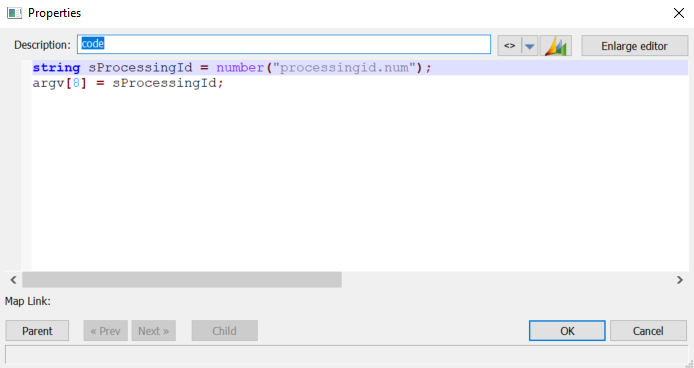 "Image of the SQL code for adding the extra procces ID"
STEP 2 SQL To XML
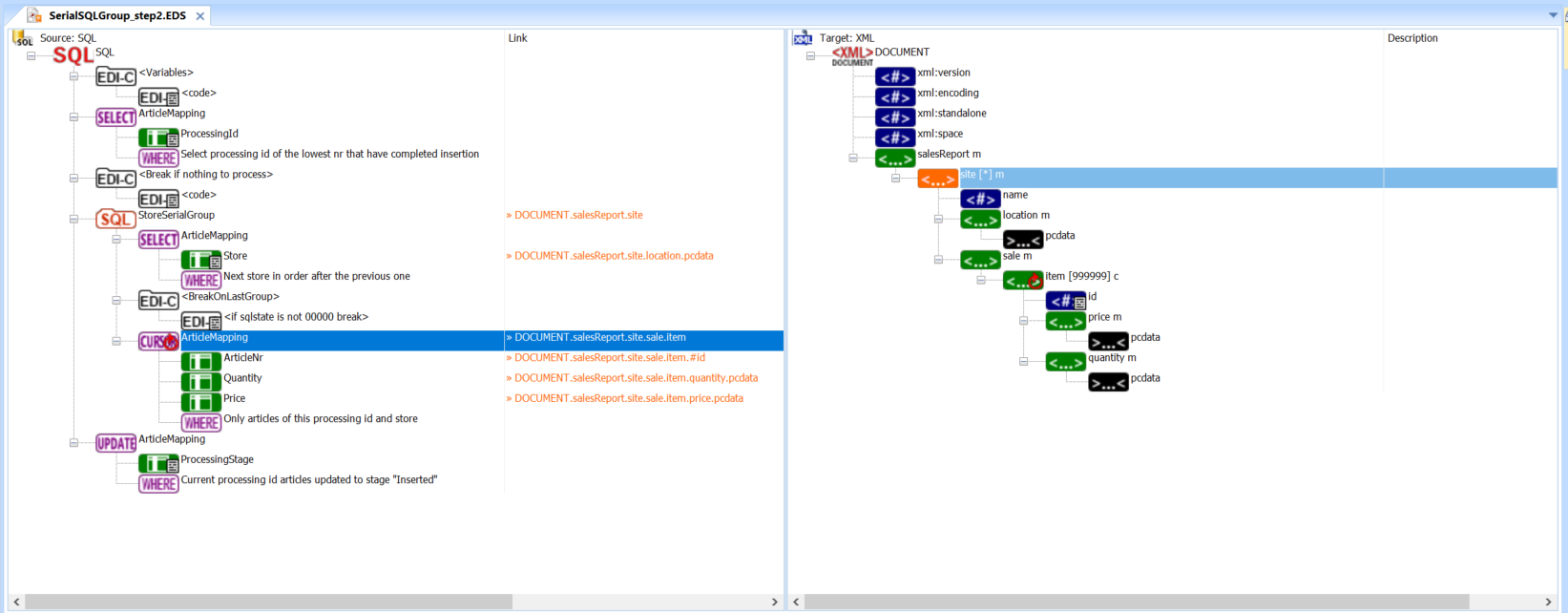
The second mapping will be a SQL to XML mapping and it is in this mapping the loop within a loop is possible due to SQL cursor, So lets get started.
 "Image Overview of the SQL to XML mapping"
From the top we start with adding two EDI-Code variables, which are sPrevStore and sProcessingId. sPrevStore is used for storing the Previous store and sProccsingId stores the current proccesingid which is under computation.
The next is a SQL select statement, which selects the lowest proccesing id which has completed insertion, which is to say that the step 1 is done with it.
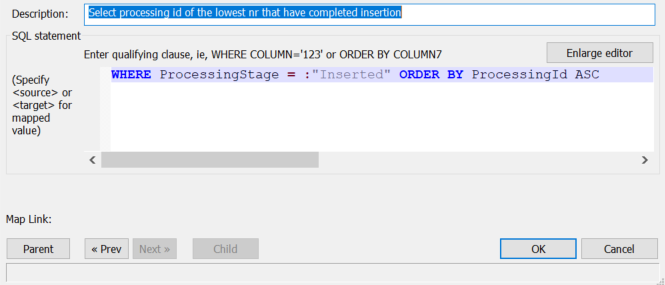
"Where statment for first Select ArticleMapping"
Next item in the tree is EDI-C code which is used to check if the SQL STATE != "0000" which means something went wrong and there is nothing to process, One thing to note is the Return number 90 is a hardcoded discard number for mappings in Inobiz.
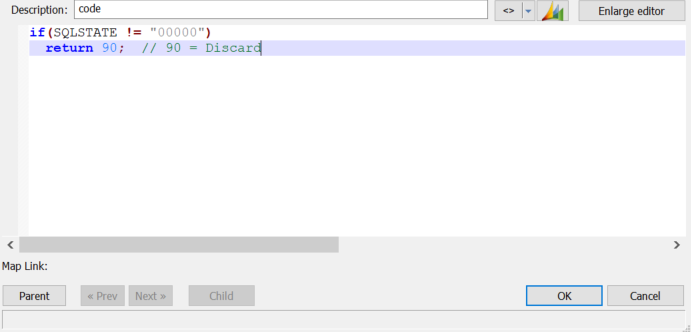
"The Break EDI-Code"
Next item is where things get interesting, here is where we use Store Serial Group which in our case is mapped to the targets serial site element. (Double Check this section)
The Store Serial group got 3 sections, the first section is the select query in which store is mapped to location of the example data and the current store is saved in the sPrevStore value.
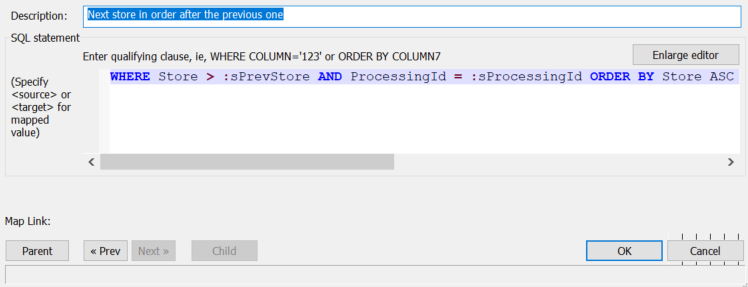
"Where statement for the first section of the Store Serial group"
Second section is EDI-C code in which the loop is broken once it reaches the last group, this is done by checking the SQL state once more and break if it is not 0000.
Third section is loop Cursor Select which maps Articlenr, Quantity and Price for the current row if it got the right processing id and store. Since it is a loop cursor select it will do this for all rows, thus mapping them all over to the correct side.
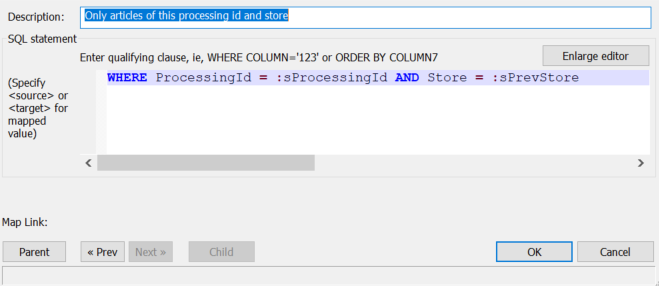
"Where statement for the Cursor Select"
After the store serial group we got the final component, which is a SQL update. This update sets all with current processing id’s ProccesingStage in the database to Inserted, which is done in order to mark them as already processed.
And that is it, you now got a method to handle serial file mapping in which the data is unsorted and required multiple read through with some consideration taken in order to make it asynchronous, step 1 and step 2, to make it more efficient.
Extra
The source mappings can be found on as attachments.
0 Comments