With this communication adapter, you can write files to a local folder. You may also write the file to a network folder, using UNC addressing.
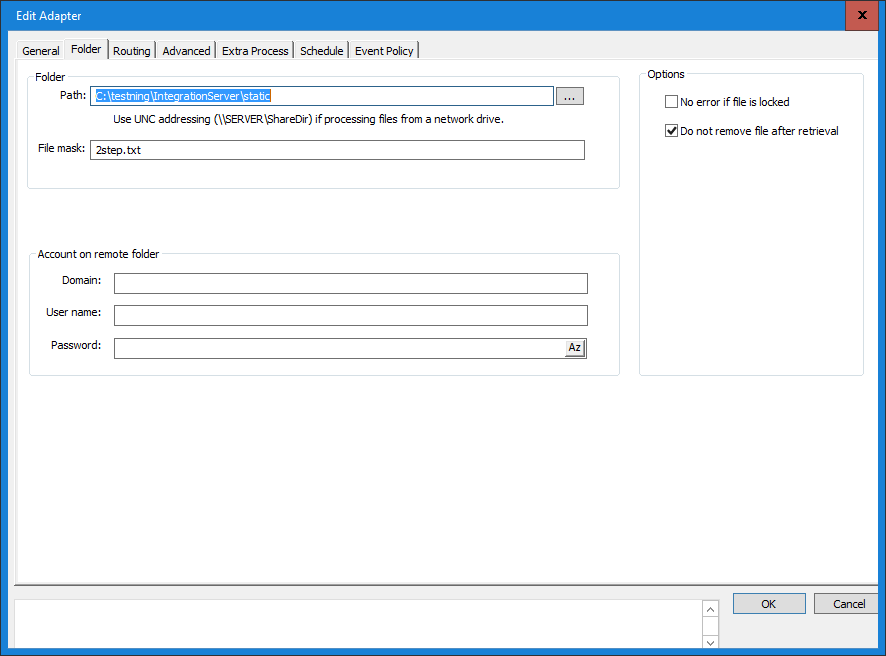
Path
Enter the path to the folder (directory) in which you want the output definition to write its files.
To create a new folder browse to the directory where the new folder is to be created. Enter the name (e.g. \NewFolder) in the Path field (as shown in the above figure) and press the OK button.
The Inobiz Integration Server does not support mapped network drives because mapped network drives are user and session specific and does not exist to a Windows service like the Integration Server. In these case use UNC addressing (\\SERVER\ShareName).
This dialog has limited management of UNC addressing (\\SERVER\ShareDir) for shared directories. The UNC address has to be manually entered in the Path field.
File properties
Decide how the output file names are to be generated. The options are long or short file names. The short file name consists of eight characters. The long file name consists of the number of characters given by the File pattern that you specify. In this field, enter how you want the output files to be named and the information to be included in the file name. Format codes are used to specify the file name - see the chart below.
|
Format code |
Format |
Example pattern |
Example file name |
%d |
Date (CCYYMMDD) |
ND%d.txt |
ND20041224.txt |
%n |
Sequence number, incremented by one.Depends on Number start index value and Number max index value. |
File-%n.edi |
File-1.edi , next file will be named File-2.edi |
%u |
Date without century (YYMMDD) |
Ext_%u.txt |
Ext_011224.txt |
%t |
Time (hhmmss)) |
File-%t.inh |
File-124233.inh |
%h |
Hour (hh) |
|
|
%m |
Minute (mm) |
|
|
%s |
Second (ss) |
|
|
%y |
Year with century (CCYY) |
|
|
%Y |
Year without century (YY) |
|
|
%M |
Month (MM) |
|
|
%D |
Day (DD) |
|
|
Number start index - Number max index
Define the interval from which the auto-generated number in your file name pattern has to be taken.
Append to existing file
If this check-box is selected, files in the output folder will not be overwritten if a new file, with the same name, is added to the folder. The new file will be appended to the old one.
0 Comments