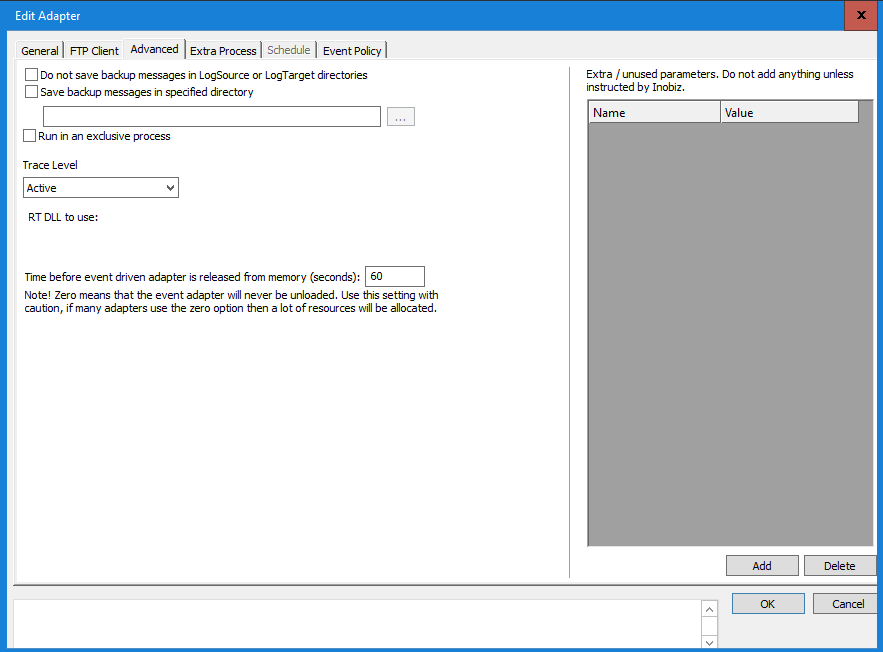
In this window you specify the backup settings for the data (messages) and set the length of time the Output definition is to hold the messages before releasing them to the receiver.
Do not save backup messages in LogSource or LogTarget directories
Mark this option if you want the Integration Server NOT to backup incoming (source) or outgoing (target) versions of the data.
Save backup messages in specified directory
Check this box if you want to specify where the LogSource and LogTarget backups should be saved, i.e. if you do not want them saved to the default directories (...InobisIS\LogSource and …InobisIS\LogTarget).
Time before event driven...
Specify the time an Event driven Output definition is to hold the data before sending it on. The delay in the output process starts immediately the message is received from the Conversion process. Setting the delay to zero means that the output adapter will never be unloaded. If this setting is used in this way, it will cause a lot of resources to be allocated.
0 Comments