Extra processing is optional. It is used to start a compiled EDI-C program. For example, an Extra process program can encrypt the data before sending it further to the receiver. (The Extra processing program is executed before the data is sent.
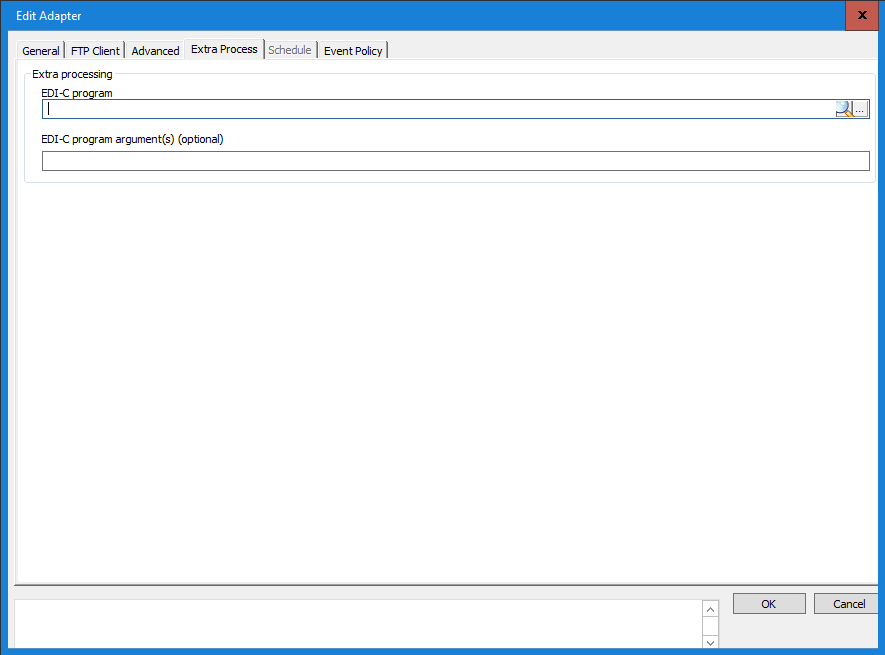
Extra processing
EDI-C program
Enter the full file name, inclusive path, of the compiled EDI-C program to be used, (e.g. ExtraProc.cep) or use the browse button to select the EDI-C program file. The message will be passed, as a string in argv[1], to the extra process program.
EDI-C program argument(s)
The arguments or text in this field is given to the Exptra processing program as argv[2]. Note that the program arguments do not have to be separated by commas, as in the above example, the text in the field is passed to the Extra processing program as one string,
Macros as Extra Arguments
There are three macros that can be used in this field. These provide useful information when they are passed to the EDI-C program.
<ibzPartnerDBId> |
ID representing the integration |
<ibzSourceDBId> |
ID representing the incoming message |
<ibzLogDatasource> |
Information about the log data source, data source name, user name and password separated with 0x01.
|
The macros are case sensitive and must be entered exactly as shown above.
Transaction State after Execution
The exit code of the Extra processing program, in combination with the logged values, can set the message processing transaction in different states.
For logging values, there are two standard functions:
log (string errortext) - this function adds the "errortext" string to the Integration Server error log
loginfo (string infotext) - this function adds the "infotext" string to the Integration Server information log
When the different log functions are used in the Extra processing program, different behaviour occurs in the transaction state.
-
exitcode = 0 - this will always mark the transaction state as OK, the following program in the transaction chain will be executed.
-
exitcode > 0 and the log function used –marked as if an ERROR had occurred in the extra processing program, the following program in the transaction chain will not be executed.
-
exitcode > 0 and the loginfo function used –marked as if an ABORT had occurred in the extra processing program, the following program in the transaction chain will not be executed.
Extra Process Output Program
An extra process program can be added to the output adapter to manipulate the input data before it is sent by the output adapter). The difference between a post-process program and an extra process program is that the extra process program is general for all the integrations that is connected to the same output adapter.
The extra process program is called with the following arguments:
argv[1] – Message
argv[2] – Extra argument
argv[3] – Not in use
argv[4] – Data transfer mode, 0 = memory, 1 = file
argv[5] – In remote ID
argv[6] – In message ID (DatasetID)
argv[7] – Transaction ID (Out datasetid),
Exit codes from program
The following codes can be used when exiting a extra process program.
0 – OK
1 – Error
Below you can see an example of what an Extra processing program can look like. The function of this example program is that the program adds an file header and tail. The Extra processing program is programmed according to the EDI-C programming structure. For more information on programming EDI-C see The EDI-C programming language help. Beyond the specific functionality, this code can easily be reused as a framework for other Extra Process programs.
///////////////////////////////////////////////////////////////////////
//
// Inobiz Integration Server example program (Extra Processing Output)
//
// Program function:
// Extra process program example for an output definition
// The function of this example program is that the program adds an file
// header and tail.
//
// Arguments
// argv[1] - Message
//
//
// Exit codes:
// 0 = normal execution
// 1 = Error occurred in extra process program
//
///////////////////////////////////////////////////////////////////////
main()
{
string sNumberofPost, sMessage;
//Input message in arg 1
sMessage = remove(argv[1],"\r\n");
//Count number of rows
sNumberofPost = occurs (sMessage, "\r\n");
//Start post
string sHeaderPost = "%001TCP0000107 0A05" & date(0) & "00" & fill(" ",48) & "\r\n";
//Ending post
string sFooterPost = "%022" & sNumberofPost & fill(" ",44) & "\r\n";
//return the complete string
argv[1] = sHeaderPost & sMessage & sFooterPost;
exit(0);
}
0 Comments