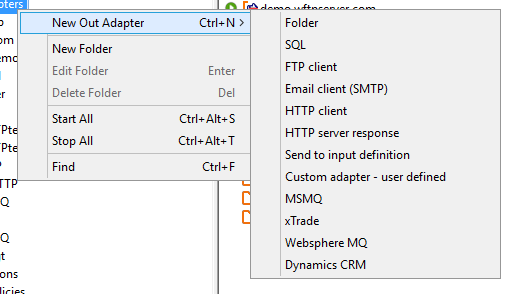
From the second tab, the communication method is chosen (e.g. Folder as shown above). The Inobiz Integration Server supports the following output communication methods:
|
Communication method |
Description |
|
Folder |
Put messages into a folder |
|
SQL |
Insert/update data to SQL Databases via ODBC |
|
FTP Client |
Put messages on to an FTP Server |
|
HTTP Client |
Send message to an HTTP Server |
|
Send to Input Definition |
Send messages to an Integration Server input definition |
|
Custom Adapter |
Write your own EDI-C program to send messages from any third party communication product or other external system |
For information on how the parameters for each of the communication methods are set, seethe section for each method.
0 Comments